What is the cost of the WhatsApp Business API in India?
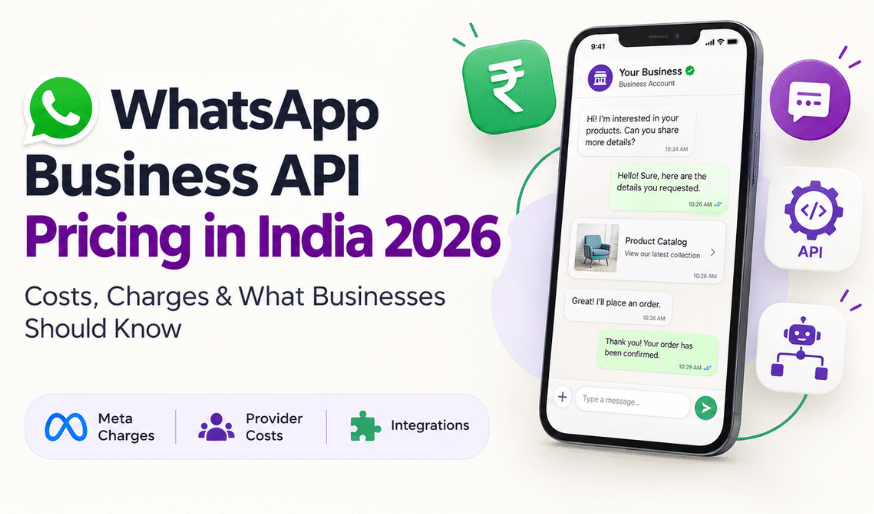
When you intend to use WhatsApp for customer support, for following up on leads, for sending order updates, for reminders or for marketing purposes, a question that is usually asked is this one: what will the cost of the WhatsApp Business API be?
The price isn’t a single, fixed amount each month; rather, your total cost will vary according to the type and number of messages you send, the Meta pricing that applies, the API or technology provider you use, the integrations you have, your automation needs, and the way your business makes use of WhatsApp.
In 2026, businesses ought to be careful too when looking at older WhatsApp pricing information available online, since Meta’s pricing and messaging rules are capable of changing and therefore any realistic cost estimate must always be based on the current rate card and on your actual messaging use case.
What is the WhatsApp Business API?
The WhatsApp Business API, which is now included in the WhatsApp Business Platform, is intended for businesses that need more than what the standard WhatsApp Business App can offer.
This enables companies to link WhatsApp with their websites, customer relationship management (CRM) systems, customer support systems and other business tools. According to the arrangement adopted, businesses are able to automate notifications, handle customer conversations, send messages using approved templates and set up workflows relating to leads and support.
The primary advantage for a company that is growing isn’t just being able to send more messages; it’s linking WhatsApp with the processes that the business currently uses.
WhatsApp Business App vs WhatsApp Business API
The WhatsApp Business App is suitable for small teams who mainly require a business profile, a catalogue and direct conversations with customers. The API, on the other hand, is meant for businesses that need integrations, automation, multiple workflows or higher-volume communication.
The WhatsApp Business App offers mostly manual interactions with customers and some basic business features.
The WhatsApp Business API offers integrations, automation, templates, notifications, and structured business workflows.
The API is usually more appropriate in the case where WhatsApp is to be incorporated into a broader customer communication system.
How WhatsApp Business API Pricing Works in 2026
It is a common error to search for a single definite ‘WhatsApp API price‘. In reality, businesses have to distinguish between the costs imposed by the platform and those associated with the provider or the implementation.
The way that Meta prices its services depend on the messaging model, the type of message and the market of the recipient. Your provider might also bill you for onboarding, for access to the software, for integrations, for automation, for support or for other services.
It means that two businesses which send the same number of messages can still end up with different total costs because their workflows and the requirements of their providers are different.
Main Message Categories to Understand
Marketing Messages
Marketing messages are employed in promotional communication, for example in the case of offers, product announcements, campaign messages, re-engagement and other marketing activities.
Utility Messages
Utility messages are usually connected with a particular customer action or transaction, for example with order updates, appointment information, booking updates or notifications relating to the account.
Authentication Messages
Authentication messages are used in verification and authentication procedures, for example when sending one-time passwords or verification codes and where this is supported.
Service Conversations
Service communication includes any conversations initiated by customers and the company’s responses within the relevant customer-service period. Businesses should keep the existing rules in mind since Meta may alter the way in which service communication is priced and managed.
What Actually Determines the Cost of Your WhatsApp API?
- Message category and use case
- Number of messages sent
- Recipient market
- Type and quality of message templates
- API or technology provider charges
- CRM, website or software integration
- Automation and chatbot requirements
- Human support and escalation requirements
- Onboarding and implementation work
- Additional reporting, campaign or platform features
A Simple Example of Cost Calculation
Let us imagine that a business sends out each month a mix of promotional campaigns, order updates and customer-service messages. Rather than multiplying the standard rate by the total number of messages, it should first divide the traffic according to the relevant message categories.
- The marketing rates relevant to the situation should be used to calculate the marketing messages.
- For utility messages, use the current utility rate that applies.
- The authentication messages should be calculated by using the relevant authentication rate.
- Service communication should be calculated using the present service-message rules.
You should also include any provider, software, integration or support fees that apply to the setup you have chosen; this method provides a considerably more realistic estimate than relying on a single average WhatsApp API rate.
Does WhatsApp Business API have a fixed monthly fee?
There isn’t a one-size-fits-all monthly fee that applies to all WhatsApp Business API setups; the total commercial arrangement varies depending on how the platform is implemented and which provider or technology partner you choose.
A few providers will charge you for a platform subscription or for the software. Those of others will base their pricing on setup, messaging, automation, support or on a mix of these.
Before you sign up, request a clear separation of the costs related to Meta and those related to the provider.
Meta Charges vs Provider Charges: Know the Difference
The fees charged are set by WhatsApp/Meta in accordance with the relevant pricing model.
The fees charged include those for technology, onboarding, dashboard access, integrations, automation, support or other services.
The costs involved in implementation are either one-off or based on a specific project when WhatsApp is being connected to a CRM, a website or to other systems.
A provider must make clear to your which portion of your bill is due to the platform and which portion is due to its own services.
What Value One Can Help Businesses With
The WhatsApp Business API service offered by Value One is focused on business messaging, automated communication, notifications, customer engagement and API integration.
The setup for businesses wishing to have WhatsApp linked to their customer journey should be based on the real use case rather than just buying up messaging volume.
Typical examples of its use are follow-up with leads, sending notifications to customers, carrying out communication with support teams, conveying messages as part of a campaign and managing automated workflows.
- Additional Costs Businesses Should Consider
- API onboarding and configuration
- CRM or website integration
- Chatbot or workflow development
- Message template creation and management
- Customer-support tools
- Reporting and analytics
- Ongoing technical support
- Campaign management
When you are looking at different providers, request the full commercial structure before making your decision.
How to Reduce Unnecessary WhatsApp API Costs
Messages should only be sent to people who have properly opted in.
Divide the customers into segments so that each campaign is relevant to its audience.
It is better to use utility communication for actual transactional situations rather than trying to fit promotional content into that category.
Look at the performance of the campaign and get rid of the messaging that has low value.
It’s better to create useful automated workflows than to send repeated manual messages.
Each month, monitor the number of messages by category.
Request from your provider a clear itemization of the platform and service charges.
WhatsApp API Compliance: What Businesses Need to Know
Cost is only one aspect of the decision; businesses also have to comply with the WhatsApp Business messaging rules.
The WhatsApp Business Messaging Policy states that companies should only contact users when they have the user’s phone number and have obtained the necessary opt-in permission. It also requires that businesses honour any requests from users to stop or block communication. On the WhatsApp Business Platform, conversations started by businesses have to use approved message templates, whereas the business may respond without a template within the relevant 24-hour customer-service period. Automated responses are allowed during that time, but companies should offer a clear way for users to escalate their matter to human support.
With regard to content that has been published, businesses must always check the most recent WhatsApp Business policies since the rules may be changed.
WhatsApp Business API Use Cases by Industry
E-commerce
Notifications regarding orders confirmed, updates on deliveries, messages related to payments, communication about products, and customer support.
Education
Enquiries regarding admission, updates on applications, reminders, follow-ups concerning counselling and communication with students or their parents.
Travel and Hospitality
Communicating about bookings, providing updates to the itinerary, sending reminders, offering customer support, and carrying out engagement after the booking has been made.
Real Estate
Carrying out follow-ups, dealing with enquires about properties, arranging appointments and carrying on with campaign communications.
Healthcare
For appointment reminders and for communicating with customers, the use case must be allowed and in compliance with the relevant policies and laws.
How to Choose a WhatsApp Business API Provider in India
- Clear pricing structure
- Reliable onboarding and verification support
- API and CRM integration capability
- Automation and workflow options
- Template management support
- Reporting and campaign visibility
- Technical support
- Scalability for future message volume
- Clear separation of platform and provider charges
How to Get Started with WhatsApp Business API
The standard onboarding process involves setting up or linking the necessary WhatsApp Business features, carrying out business verification when it is required, configuring the business phone number, preparing the approved message templates and connecting the API to the relevant business systems.
The specific procedure varies according to the way it has been implemented and the provider’s arrangement. It is important for the onboarding process to clarify the technical steps before the campaigns go live.
Frequently Asked Questions
-
1. How much does the WhatsApp Business API cost in India?
There is no one universal price; the total cost will vary according to the Meta messaging charges that apply, the message category, the recipient market, the message volume, and any fees charged by the provider or as a result of the implementation.
-
2. Is the WhatsApp Business API free?
The API must not be regarded as a fully free channel for business communication; businesses should take into account the messaging charges that apply and any costs associated with the provider, software or integration.
-
3. Is the WhatsApp Business App better than the WhatsApp API?
The two systems meet different business requirements; the App is suitable for direct and mainly manual conversations, whereas the API is intended for integrations, automation, and structured business communication.
-
4. Is it possible to connect WhatsApp Business API to a CRM?
Yes, API-based implementations can be linked with CRM and other business systems, on condition that the integration setup is carried out.
-
5. Are the prices of the WhatsApp API subject to change?
Certainly. The pricing and policies associated with the WhatsApp Business Platform may change. Before preparing a long-term communication budget, businesses should check to make sure they have the most up-to-date rate card and policy.